Finance automation

Invoice & Expense Bill Capture for NetSuite.

Capture supplier invoices and expense bills, extract key details with AI assistance, and prepare vendor bill records inside NetSuite.

£100/month Invoices, PDFs, PNGs, JPGs Review before record creation
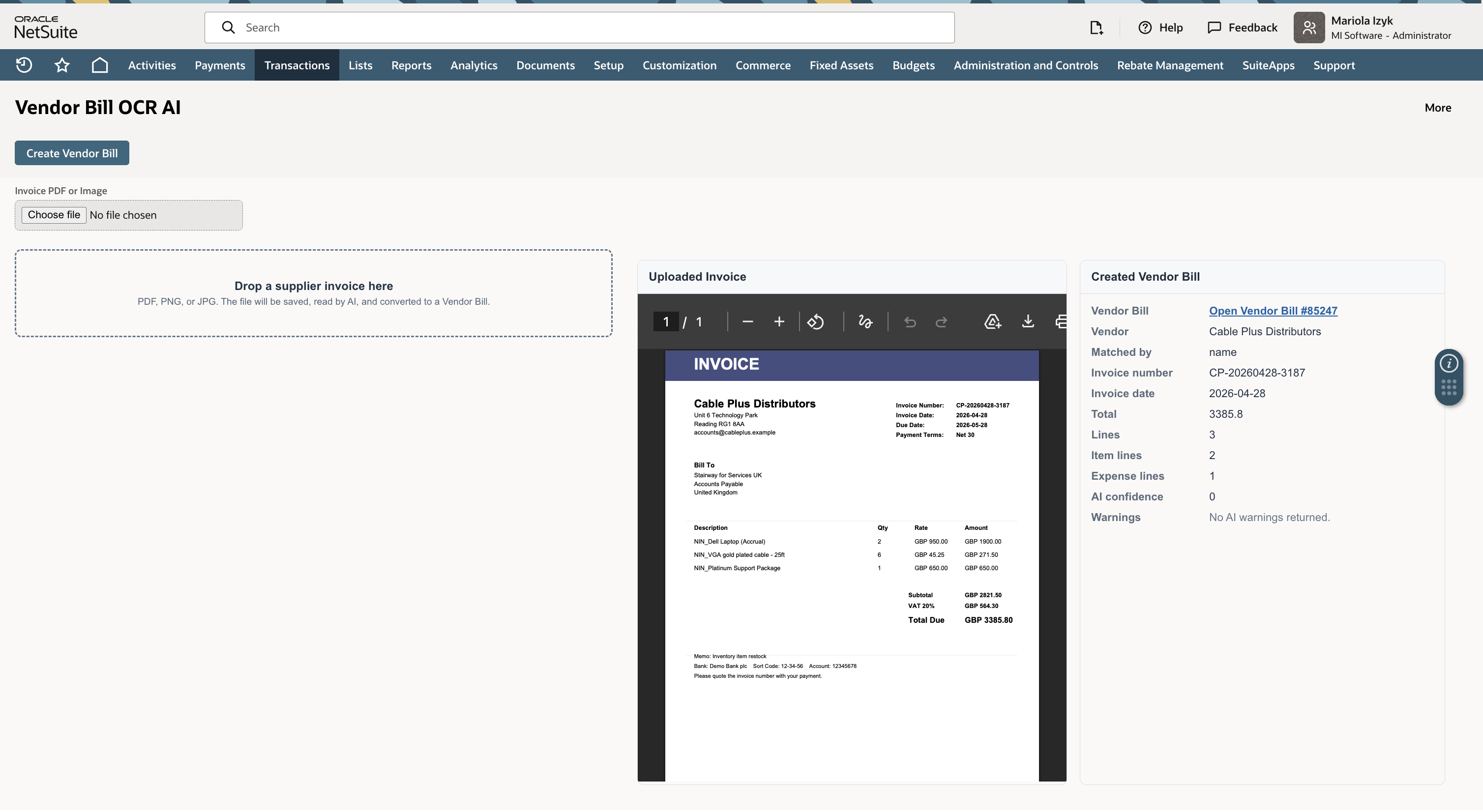
Invoice and vendor bill capture screen with extracted fields for review
AI-assisted extraction with finance review before NetSuite vendor bill data is created.
Upload document Extract key fields Review exceptions Prepare NetSuite bill data

Why it exists

Finance teams should review exceptions, not rekey every document.

Supplier invoices and expense bills often create repetitive manual work. The useful automation point is not blind posting. It is structured capture with finance review before records are created.

Capture

Read invoices and expense bill documents.

Upload invoice PDFs, PNGs, or JPGs and extract supplier, invoice, date, amount, and line information.

Review

Keep finance in control of captured data.

Show extracted fields clearly so users can check the information before it is used in NetSuite.

Prepare

Reduce repeat entry before vendor bill creation.

Prepare structured bill data for review instead of asking finance teams to manually re-enter every detail.

Workflow

A controlled capture flow for invoice and expense bill work.

01

Upload

Finance uploads a supplier invoice, expense bill, PDF, PNG, or JPG for processing.

02

Extract

AI assistance reads the document and extracts fields that matter for NetSuite review.

03

Validate

Users check supplier, invoice number, dates, totals, line detail, and any exceptions.

04

Prepare

Captured data is prepared for the next controlled NetSuite step after review.

Product capability

Designed for practical finance automation with human review.

Document upload

Support common finance document formats used in invoice and expense bill processing.

Field extraction

Extract vendor, invoice number, date, totals, and line details for structured review.

Exception review

Make uncertain fields visible so finance users can confirm data before records are created.

NetSuite-ready process

Fit capture into the existing NetSuite finance process rather than creating another disconnected tool.

Next step

Start with the invoice process that creates the most repeated manual entry.

MI Suite can review your current supplier invoice and expense bill flow, then identify the safest first capture workflow to automate.